MathPace workbooks
Workbooks Mathpace builds, sorted by type. Tap a subject or type label to filter on the spot.
Pick from the shelf, solve like a notebook
Mathpace workbooks, mock exams, and the publisher workbooks you bought — all on one shelf. Pick one and write straight away; wrong answers and study volume pile up on their own.
One Google account and you're set.
 Today's pace
Mock exam · Science · for 2026
Look at the figure and explain the change in the state of matter.
Three shelves
Worksheets teachers publish from Mathpace Class, exam-style mock tests, and publisher workbooks each get their own shelf. Every card carries its type and subject labels, its author, and the date it was last updated.
Workbooks Mathpace builds, sorted by type. Tap a subject or type label to filter on the spot.
Exam-style mock tests grouped by year. Each round's study volume and correct rate stay on the card.
Open the paper workbooks you bought by verifying the receipt; request the ones we don't have yet.
Find by title, type, or tag; filter by subject, study status, or saved; sort by newest, name, or study volume.
Tap the author on a card — Mathpace, a teacher, a publisher — and only that author's workbooks gather on one screen.
The pen writes; your finger turns pages and zooms. Handwriting you circle with the lasso is read by OCR and entered as your answer.
Redo ten questions at a time from the last three days, wrong ones first. D-day schedules and weekly gold are on the home screen too.
A video of a teacher working it through sits under the written explanation. Keep the window open and watch while you read the question.
When the explanation still doesn't land, ask an AI that knows the question. It starts from the concept and draws graphs and figures to explain.
NEW · September 2026
What you need when you are stuck is not the same explanation read twice. We added two things.
A video of a teacher working it through sits under the written explanation. The Video button beside the explanation label jumps straight there, and you can keep the window open while you watch and read the question.
The tab beside the answer opens a conversation with an AI that already knows this question and its explanation. Instead of leading with the answer it builds the concept, draws graphs and figures to explain, and attaches tap-to-open glosses for hard terms.
It uses the AI subscription already running on your computer (Claude Code, Codex, Antigravity) — no separate API key to buy and register, and no extra charge. Connect once in Settings › AI agent.
Show, don't tell
From choosing how to start, to solving and leaving a record — all captured from the live service.
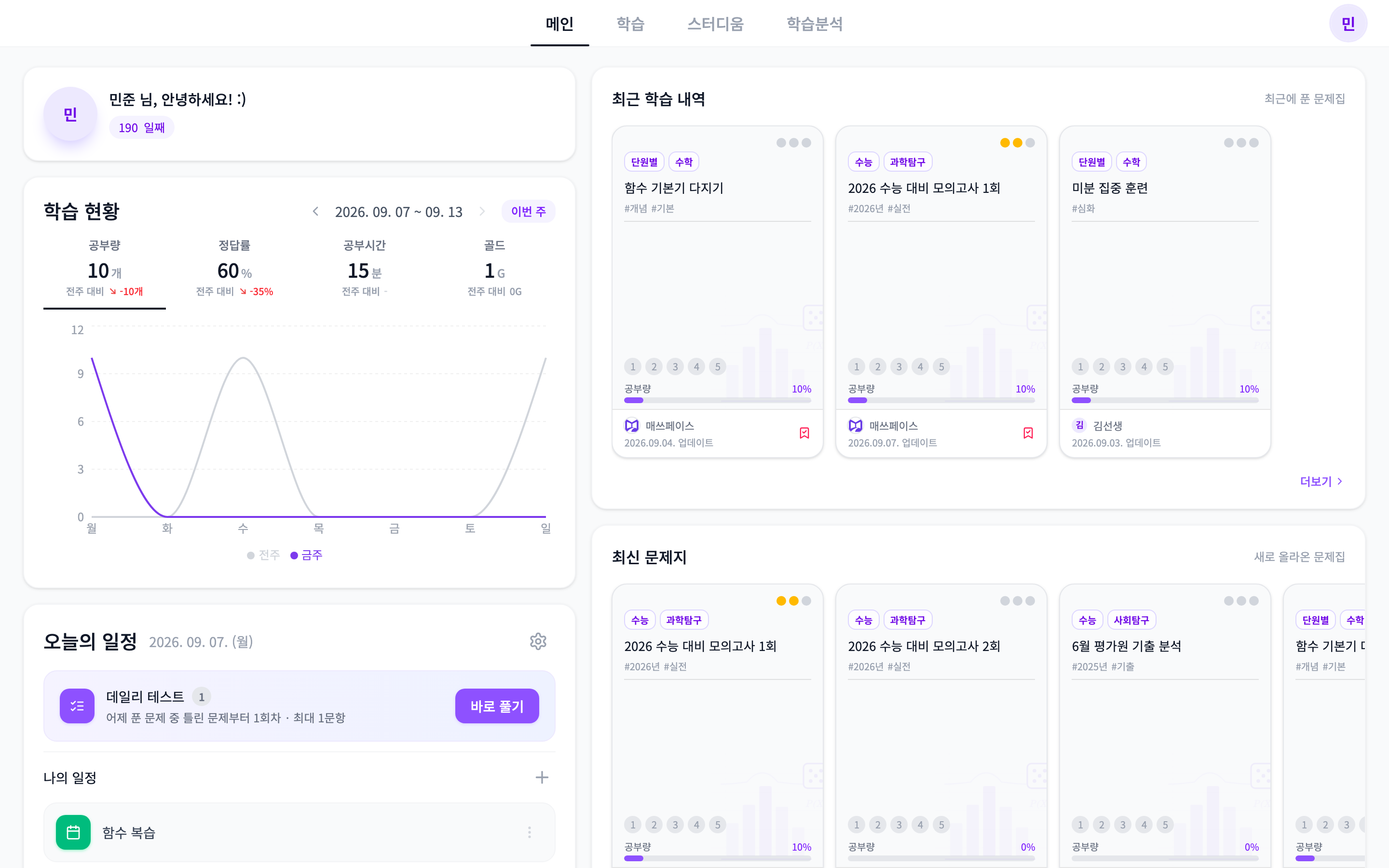
Home
See today's progress, recent workbooks and upcoming plans on one screen.
Answers, handwriting, and saves kept per question
Stylus writes first; finger turns and zooms
Wrong-answer notes, daily test, weekly gold
Video explanations and asking the AI
Korean, English, and Japanese interface
Supports personal study of material you own only
My books · My records · My pace
Work through textbooks you legally own more comfortably, meet the ones you missed again in the daily test, and see today's progress at a glance. We kept what paper is good at and took away the friction.
Choose Korean, English, or Japanese for the interface.
MathPace Grader for teachers
Register an answer key and create an OMR sheet. Scan the finished sheet with your camera for instant grading and a score report — and get your grading time back.
Publisher partnership
Extend paper workbooks into interactive e-books where solving, grading and wrong-answer records connect. Raise the value of your existing content and design new revenue from digital sales and subscriptions.
Ready? Then now
Start with your Google account and open your first workbook at your own pace.